Basic Controls
Field Selection
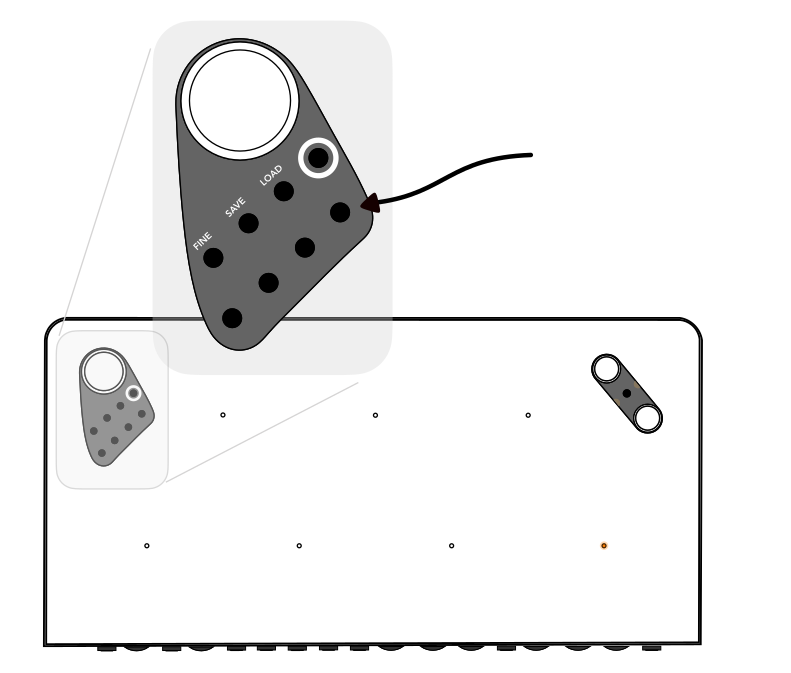
Before changing any of the Haloplane's seven fields' parameters, you must select it. To select a field, press its corresponding selection button in the top-left area of the instrument. Once one or more fields are selected, turning the knobs will change its pitch and timbre.
The extra encircled button will select or deselect all. Some of the selection buttons have multiple functions, like entering the save and load menus, or altering fine tuning.
Sample and LFO Edit Modes
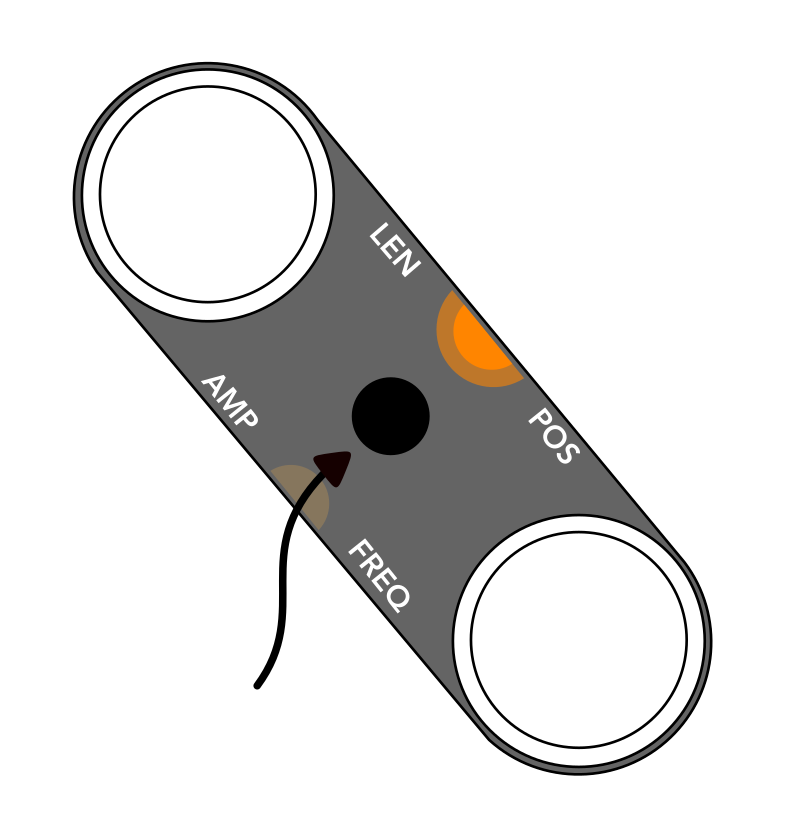
The toggle button on the right side of the instrument selects whether you are in sample or LFO edit mode. The light near the words LEN / POS indicates that knob changes currently affect length and position. When viewing the companion app, this toggle button will also toggle what parameters can be seen in the app: LFO or Sample parameters.
Reset and Randomize
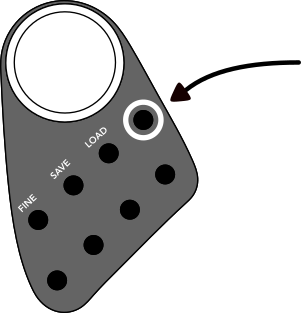
Any parameter can be reset by pressing and holding the SELECT ALL button (encircled top-right button) while pressing the associated parameter's knob. For example, to reset transposition, hold SELECT ALL then press the main dial.
While holding SELECT ALL, you can randomize a parameter by double-pressing the parameter's knob.
If all fields are selected, pitch randomization will choose a random scale instead of seven purely random pitches.