Saving and Loading Scales
Scales save and load the transposition of all seven fields without changing anything else. They include both semitone transposition and fine tuning.
Presets also store these transposition values, but presets load the rest of each field’s settings as well. Use a scale when you only want to change tuning.
Scales Are Relative, Not Absolute
On the Haloplane, transposition changes pitch by changing playback speed:
- +12 semitones = double speed
- −12 semitones = half speed
This means a field’s transposition value does not describe its absolute musical pitch. It describes how far that field has been shifted from the pitch of its source sound.
When you load a scale, the Haloplane simply applies the stored transposition value to each field. Whether the result forms an in-tune musical scale depends on the source material in those fields.
For predictable musical tuning, all fields should have the same base pitch. The simplest ways to achieve this are:
- load the same sample into every field, or
- use wavetables, which are always tuned to A as their base pitch.
So, in short: a scale stores pitch offsets, not absolute notes.
Saving and Loading Scales
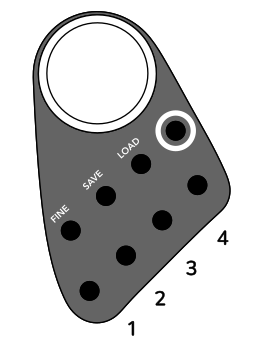
Four local scales can be saved on the instrument by holding SAVE and pressing one of the first four field-selection buttons. To load a local scale, hold LOAD and press the corresponding button.
App Scales
Up to 100 additional user scales can be saved and loaded through the app library. Access the library by clicking or tapping the icon in the app. All scales are stored on the Haloplane’s microSD card.
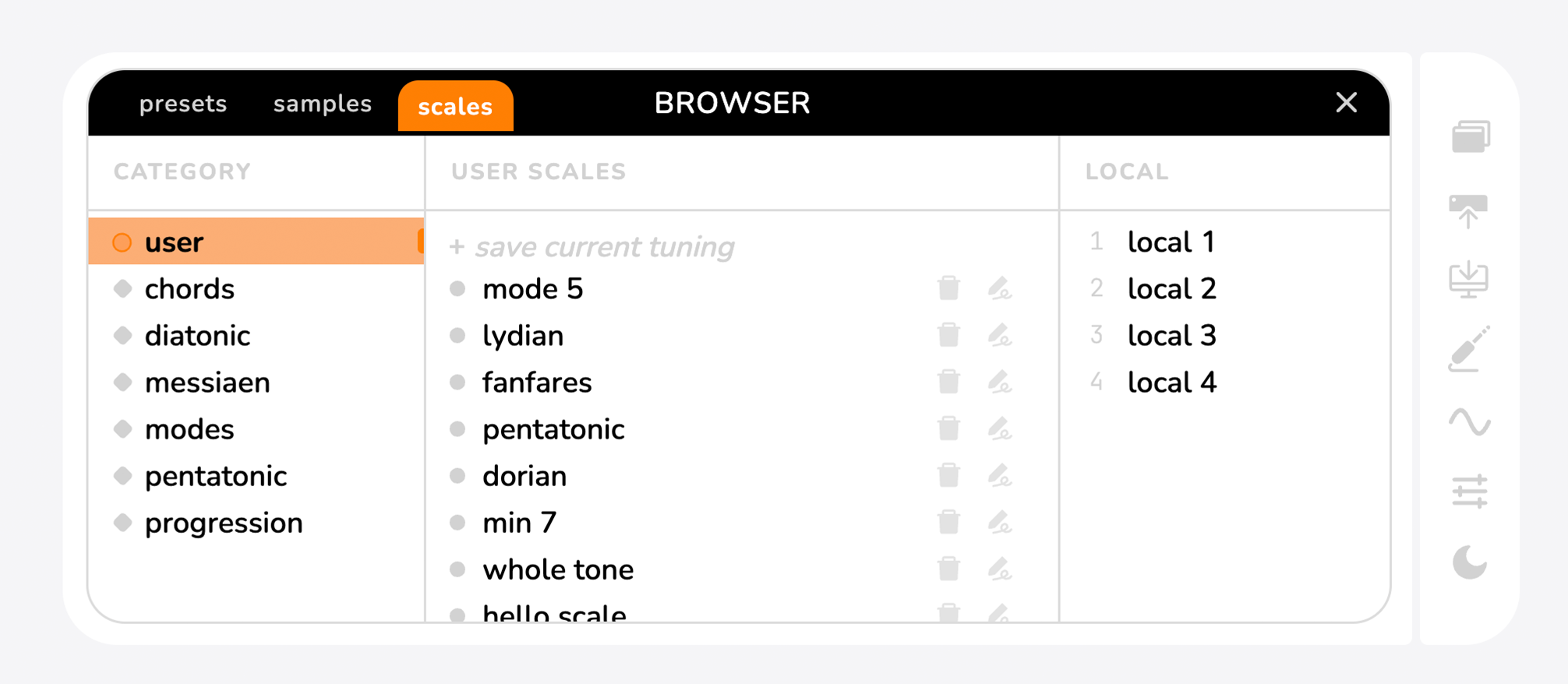
To save a new scale:
- Go to the user section of the scales tab.
- Press + save current tuning.
- By default, all new scales are named
new scale— tap the icon to rename. - To delete a scale, tap the delete icon.
To transfer a library scale to a local slot: load the scale on the instrument, then re-save it to one of the local slots using the instrument's buttons.