Pitch Control and Tuning
Pitch / Transposition
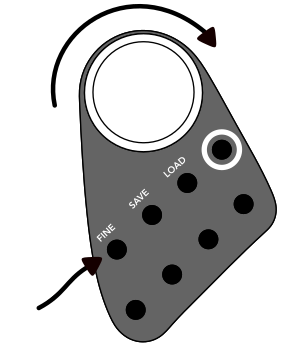
The pitch/transposition of a sample is altered by first selecting one or multiple fields, then rotating the main dial on the instrument. Each indent/tick of the dial indicates a change of one half-step.
Each field has a maximum range of +24 to −24 semitones.
When playing back samples, pitch correlates with playback speed. A loop played at +24 semitones is 4x faster than its original playback speed. A loop played at -24 semitones is 1/4th its original playback speed.
Fine Tuning
The same main dial can change the cents offset of the field's note, providing microtonal and fine tuning possibilities. With at least one field selected, press and hold the button labeled FINE while turning the main dial. Each field has a maximum range of +50 to -50 cents.
Saving and Loading Scales
For instructions on saving local scales and managing scales in the companion app, see Saving and Loading Scales.