SD Card
Each Haloplane instrument includes a microSD card containing all user and factory data, including:
- Samples
- Presets
- Scales
- Settings
The system stores human-readable files, but the companion app is the supported way to manage presets and scales. In normal operation, you should not need to access the microSD card directly.
You can download the base SD Card files here, and copy them to your SD card to restore the instrument to its factory state: Base SD Card Files.
microSD Card Access
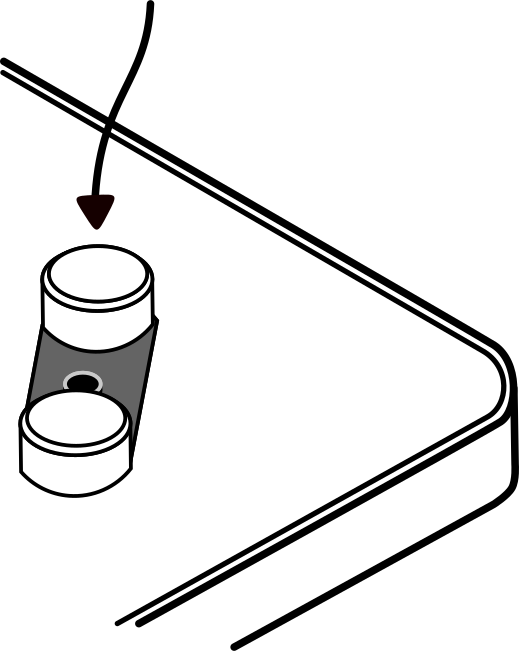
The microSD card can be accessed by connecting the Haloplane to a computer while pressing and holding the LEN dial during startup.
This will mount the device as a standard external drive.
From there, you can back up all your presets, scales, and settings by copying the contents of the SD card to your computer. Your Haloplane's entire identity is stored on the SD card. Be sure to safely eject the drive before disconnecting the Haloplane.
Back up the entire card before making any manual changes. Direct editing is not advised and invalid values may cause unstable behavior.
This page is a reference for advanced recovery and inspection.
microSD Card Structure
- These files are automatically generated by the system or shipped with the instrument.
- Manual editing is unsupported and should be reserved for recovery.
- Invalid values may produce undefined or unstable behavior.
- Backup is recommended before any modification.
Please use the companion app directly for preset management. If you'd like to backup your presets, we recommend backing up the entire user folder.
The SD card is formatted in FAT32 and organized into preset banks, system data, and user data.
- haloplane_sd/
- bank0/
- bank1/
- bank2/
- bank3/
- bank4/
- bank5/
- bank6/
- core/
- user/
Directory Overview
-
bank0–bank6/Local presets, saved and loaded on the instrument itself. -
core/Factory presets, samples, system scales, and configuration. -
user/User-defined presets and scales saved from the companion app.
Preset Structure
Each preset contains paired audio and configuration files for each field.
- bank0/
- field0.wav
- field0.txt
- field1.wav
- field1.txt
- field2.wav
- field2.txt
- ...
Each .wav file is a mono audio file containing the sample data for a field. The format is 4 seconds maximum, mono 44.1kHz 16-bit.
Each .txt file is a human-readable parameter file containing playback and modulation parameters for a field.
transposition=-12
transpositionCents=0
baseStartPosition=0.500
baseLength=0.510
recordedLength=2400
reverse=0
lfoFrequency=0.010
lfoAmplitude=0.307
lfoTarget=2
lfoWaveform=1
Configuration File
System-wide settings are stored in:
- haloplane_sd/
- core/
- config.txt
- core/
Example Configuration File:
#WIFI_SETTINGS
wifiSSID=Haloplane
wifiPassword=
staSSID=
staPassword=

#PICKUP_SETTINGS
cvMode=CV_MODE_MODULATED_SHIFT
sensitivity=SENSITIVITY_2
panorama=PANORAMA_MIDDLE
filterMode=FILTER_LOWPASS
audioEffect=EFFECT_REVERB
modOut=MOD_OUT_WANDER
Scales File
User-defined musical scales are stored in:
- haloplane_sd/
- user/
- scales/
- scales.txt
- scales/
- user/
Each line defines a named scale followed by:
- 7 semitone offsets (-24 to +24)
- 7 cent offsets (-50 to +50)
"hello scale" = [-12, 2, 4, 7, 9, 12, 14, 0, 0, 0, 0, 0, 0, 0]