USB Audio DAW Setup Guide
The Haloplane can also be used as a USB audio interface, allowing you to stream seven sounds from your computer to the instrument. This means that the Haloplane's fields can emit any sound that your computer can produce.
Ableton Setup
On this page, we'll set up the Haloplane with Ableton as an example for how to integrate the instrument into your typical workflow of choice.
Start the Haloplane in USB Audio Mode
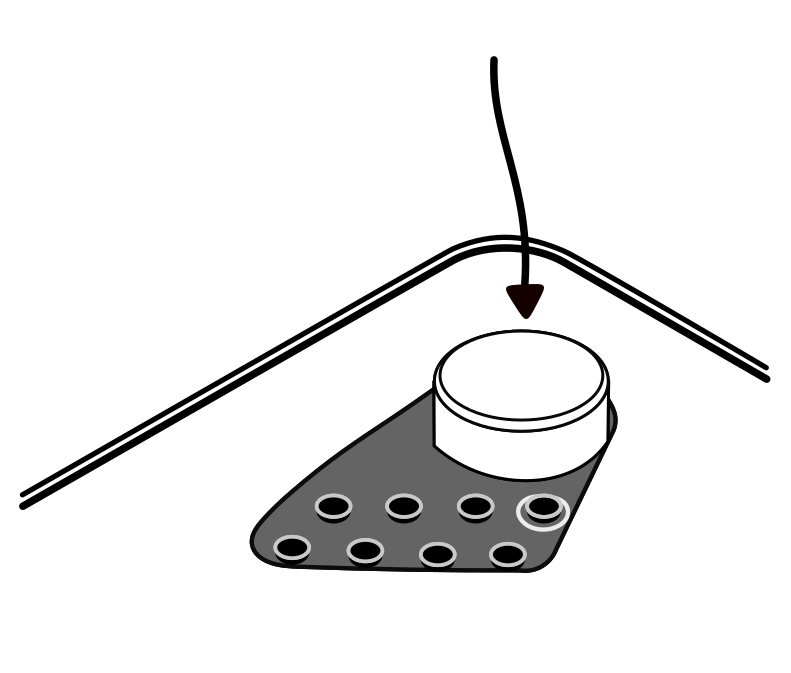
To start the Haloplane in USB audio mode, press and hold the main dial while connecting the instrument to your computer or iPad.
Choose the Haloplane in Ableton's Audio Settings
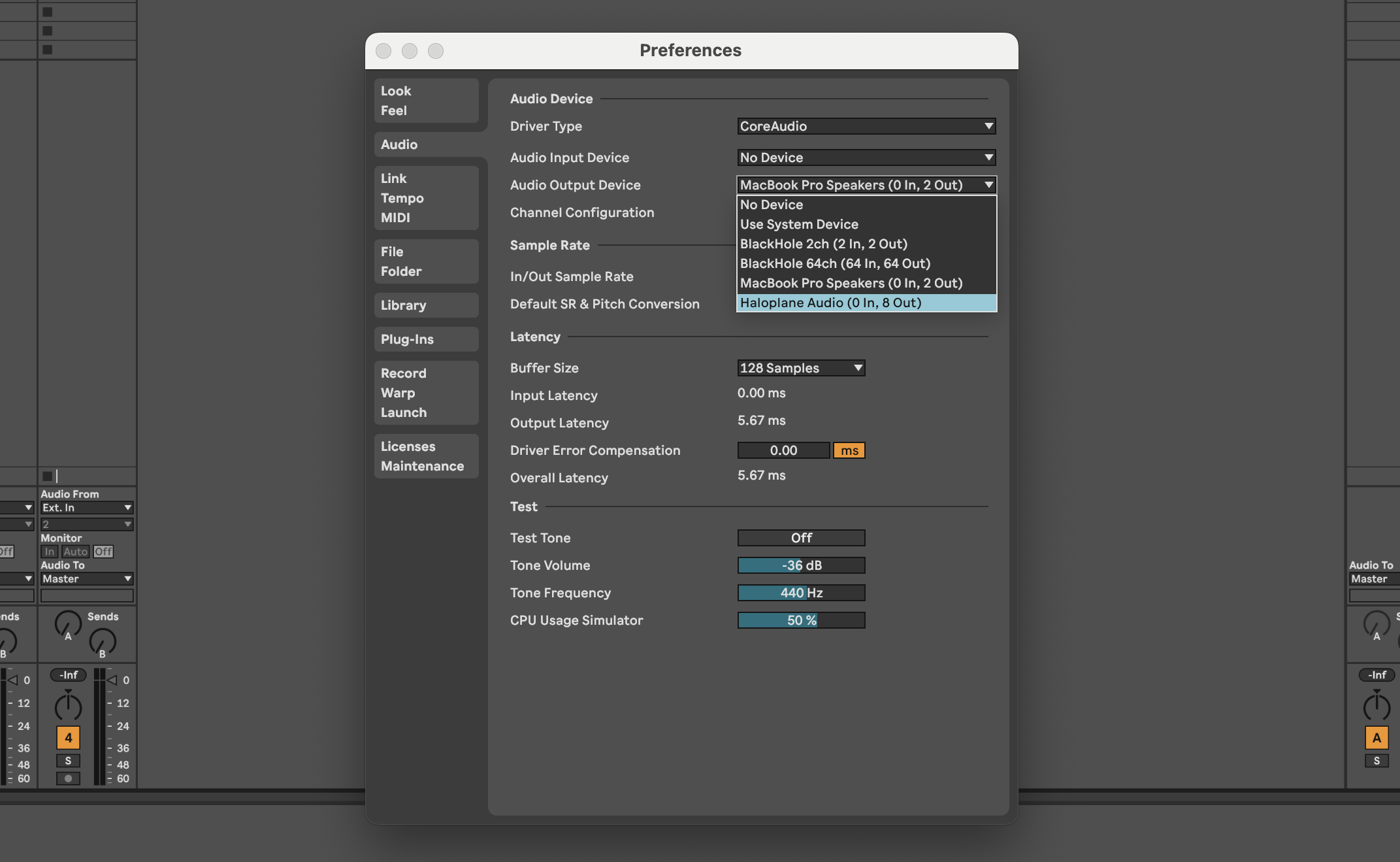
Click on Live, then Settings.... Navigate to the audio tab. Under Audio Output Device,
select Haloplane Audio (0 In, 8 Out).
Next, enable all the outputs. Click on Output Config and toggle on all the mono and stereo outputs of the Haloplane.
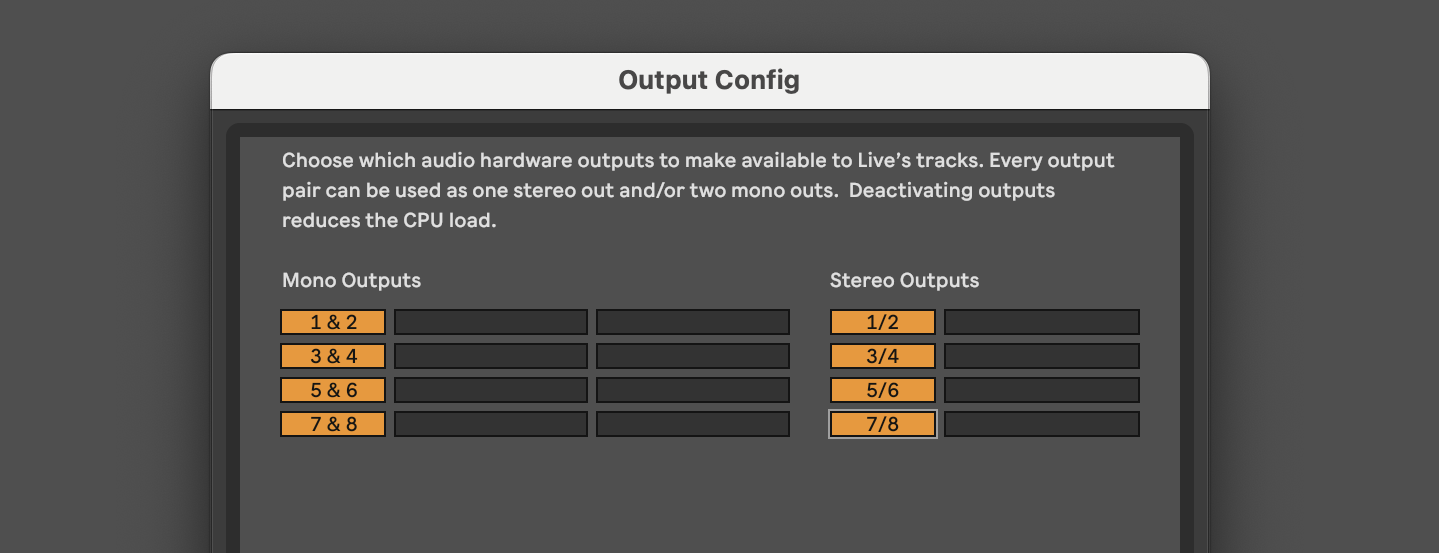
The 8th channel is required to maintain an even number for stereo pairs, but has no use on the instrument.
Create Tracks as Sound Sources
In your session, create 7 audio or MIDI tracks with clips or content which you'd like to hear emitted from each of the Haloplane's seven fields.
For each track, route it to a Haloplane field by clicking the dropdown titled Audio To in Session view. Select Ext. Out and then select the field number you'd like to route that track to. Each field can be addressed independently.
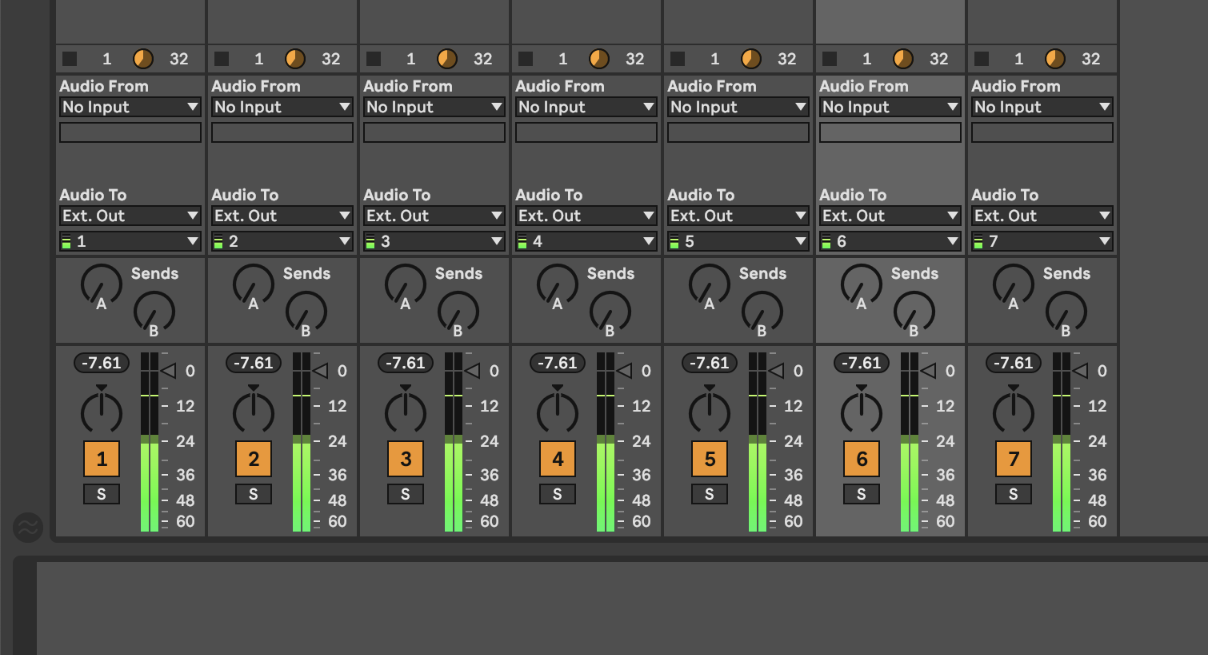
An alternative strategy would be to create 7 return tracks that route to each field, and then to use the sends section of each track to route audio to the fields in mixes.
Play with your Sounds on the Haloplane
Now that Ableton is streaming audio to the instrument's fields, the pickups connected to the instrument can hear them. With headphones connected to the Haloplane, or with its audio output routed to speakers or further equipment, listen to each of the fields of the instrument.
The pickup controls, filter, and effects still affect the pickups' sound in USB audio mode. Pickup, filter, and effect settings can be changed on the fly using the buttons on the top of the instrument.